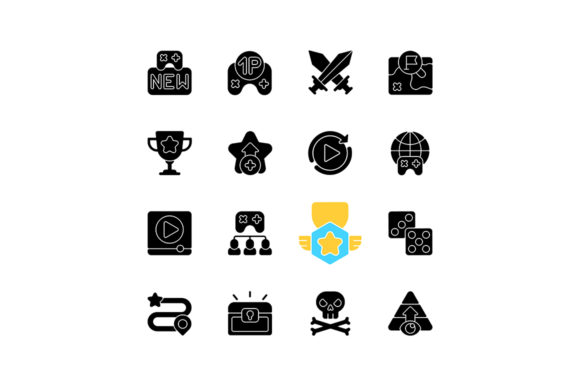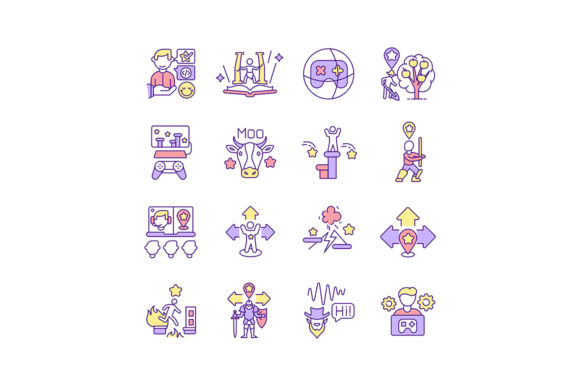
Video Game Design RGB Color Icons Set for Creators
Whether you're just starting out or have experience in game development, having the right visual tools can make a big difference. The Video Game Design RGB Color Icons Set offers a collection of high-quality, color-rich icons that help bring your game ideas to life. These icons are especially useful for designing levels, creating characters, and visualizing game mechanics—all in a clean, scalable format.
What’s Included in the Set?
This versatile set includes icons related to various aspects of game design, such as:
- Drawing game levels
- Creating voice characters
- Designing movement mechanics
- Marking end-of-level goals
All icons are available in multiple file formats—EPS, JPG, PNG, SVG, and AI—so you can use them in different design software and platforms. They come in a ZIP file for easy download and organization.
Why Use This Icon Set?
Visual clarity and consistency are key when designing games. The Video Game Design RGB Color Icons Set gives you a ready-to-use visual library that supports your creative process. Whether you're sketching early game ideas or building polished UI elements, these icons help you communicate your game’s mechanics and story more effectively.
For beginners, this set removes the need to create every visual from scratch. For professionals, it offers a time-saving resource that integrates smoothly into existing workflows.
Designing Game Levels Made Easier
One of the most practical uses of this icon set is level design. You can quickly map out level structures using icons that represent platforms, obstacles, collectibles, and goal points. This helps in planning game flow and testing level balance before diving into full development.
For example, if you're designing a 2D platformer, you can use icons to represent jump pads, moving platforms, or enemy spawn points. This visual shorthand makes it easier to share your ideas with team members or collaborators.
Bringing Characters to Life
Character creation is another area where this set shines. Icons related to voice characters help you visualize how your characters will interact with players and the game world. You can use them in storyboards, dialogue trees, or even early concept sketches.
Whether you're building a sidekick, a villain, or a neutral NPC, these icons give you a visual starting point that can evolve into a fully fleshed-out character design.
How to Use the Icons in Real Projects
The flexibility of the Video Game Design RGB Color Icons Set makes it suitable for a wide range of uses:
- Game Prototyping: Quickly sketch out game mechanics and test ideas without spending time on custom art.
- UI/UX Design: Use icons directly in menus, tutorials, or HUD elements to guide players through the game.
- Educational Tools: Teachers and educators can use the icons to explain game design principles to students in a visual way.
- Marketing Materials: Incorporate icons into promotional content, such as banners, infographics, or social media posts.
Because the icons are vector-based (SVG and AI), they scale beautifully across different screen sizes and resolutions—perfect for both mobile and desktop games.
Getting the Most from the File Formats
Each format in the ZIP file serves a different purpose:
- SVG: Best for web use and scalable graphics that maintain quality at any size.
- PNG: Ideal for game UI and web graphics where transparency is needed.
- JPG: Useful for preview images or sharing visuals on social media.
- AI & EPS: Editable vector formats for use in Adobe Illustrator or other vector design tools.
Having access to all these formats means you're not limited by software or platform. You can easily adapt the icons to fit your specific needs.
Who Can Benefit from This Set?
From hobbyists to indie developers and educators, this icon set is designed for a broad audience. Here’s how different users can make the most of it:
- Beginners: Learn game design basics using ready-made visuals to understand game mechanics and structure.
- Freelancers: Save time on client projects by using professional-quality icons that speed up the design process.
- Small Businesses: Create engaging interactive content or mini-games for marketing or training purposes.
- Bloggers & Marketers: Use the icons to illustrate game-related content or tutorials in blog posts and videos.
What to Consider Before Using the Icons
Before diving in, here are a few things to keep in mind:
- License: Always check the usage rights included with the set to ensure it’s allowed for your intended purpose (personal or commercial).
- Consistency: If you're using multiple icon sets, make sure they visually align to avoid a mismatched look.
- Customization: While the icons are ready to use, you may want to tweak colors or styles to better fit your game’s aesthetic.
Also, remember that while icons help with design speed, they should support your game’s unique vision—not replace it entirely.
Real-World Feedback and Benefits
Many users who have worked with the Video Game Design RGB Color Icons Set report that it helped them streamline their design process. Some highlighted how the icons made it easier to visualize game mechanics early on, while others appreciated the variety of formats included.
One user noted, “It’s great to have a reliable set of icons that work across different tools. I used them in both my game prototype and the final UI design.”
These real-world experiences show how the set supports practical, hands-on development across different skill levels and goals.