Enhancing Game Interfaces with the Game Menu Black Glyph Icons Set
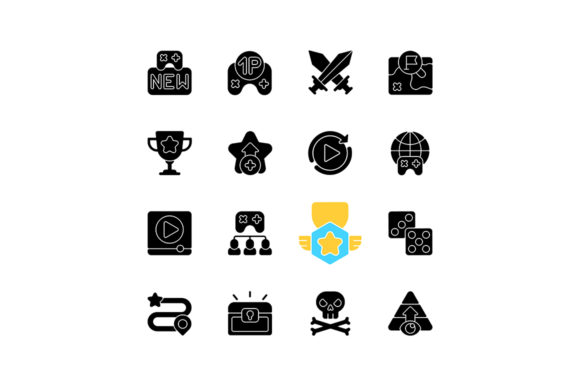
For game developers, UI designers, and digital artists, creating a clean, intuitive, and visually cohesive interface is essential to the user experience. The Game Menu Black Glyph Icons Set offers a versatile and professional solution for those looking to streamline their game menus across both computer and mobile platforms. These minimalist, vector-based icons are designed to convey functionality without distracting from gameplay, making them a valuable asset in modern game development.
What Is the Game Menu Black Glyph Icons Set?
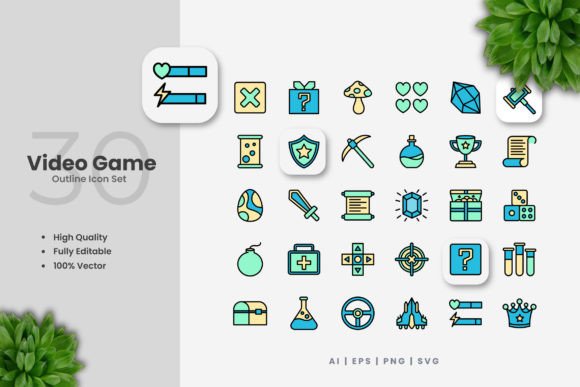
The Game Menu Black Glyph Icons Set is a collection of simplified, monochrome icons commonly used in video game interfaces. These icons represent actions such as pause, settings, inventory, map, and save — essential functions that players interact with during gameplay. Each icon is crafted as a silhouette or glyph, ensuring clarity and recognition regardless of screen size or resolution.
Available in multiple formats — including EPS, JPG, PNG, and SVG — the set is fully scalable and suitable for both high-resolution displays and mobile devices. The icons are also provided on a transparent or white background, allowing for seamless integration into various design schemes and interface layouts.
Common Challenges in Game Interface Design
Designing an effective game menu interface comes with several challenges. Among them are:
- Limited screen space – Especially on mobile devices, designers must convey functionality clearly without cluttering the interface.
- Visual consistency – Icons must match the game's aesthetic and remain uniform in style and tone.
- Accessibility – Players with visual impairments or color blindness must be able to distinguish between icons easily.
- Scalability – Icons must remain sharp and legible across different resolutions and devices.
These challenges are compounded when developers attempt to create custom icons from scratch or use inconsistent icon sets that don’t align with the game’s visual language.
How the Game Menu Black Glyph Icons Set Solves These Problems
The Game Menu Black Glyph Icons Set addresses these issues by providing a unified, scalable, and highly readable set of icons designed specifically for gaming interfaces. Here’s how it helps:
- Clarity and Recognition – The glyph style ensures that each icon is instantly recognizable, even at small sizes.
- Consistent Aesthetic – All icons share the same visual language, making them ideal for cohesive menu systems.
- Responsive Design – Vector formats like SVG allow icons to scale without loss of quality, adapting to any screen size.
- Easy Integration – With transparent and white background options, these icons can be embedded into any UI background or color scheme.
Practical Applications Across Gaming Platforms
Whether you're developing for PC, console, or mobile, the Game Menu Black Glyph Icons Set offers practical applications across a range of scenarios:
1. Mobile Game Development
Mobile interfaces often have limited space, making clean, unobtrusive icons essential. These glyphs are ideal for touch-based menus where simplicity and quick recognition are key. For example, using a black glyph for the pause button ensures it stands out without competing with in-game visuals.
2. PC and Console Game Menus
On larger screens, especially in strategy or role-playing games, players may navigate complex menus. The Game Menu Black Glyph Icons Set provides a clean, professional look that enhances usability without overwhelming the player.
3. UI/UX Prototyping
Designers can use these icons during the prototyping phase to test interface layouts and user interactions. Their universal design makes them ideal for early-stage testing and feedback.
Recommendations for Implementation
Here are some best practices for integrating the Game Menu Black Glyph Icons Set into your game design workflow:
- Match Icon Size to Interaction Frequency – Frequently used icons (like pause or inventory) should be larger and more prominent.
- Use Consistent Spacing and Alignment – Keep icons aligned with text labels and other UI elements for a polished look.
- Combine with Accent Colors – While the icons are black, consider using color overlays to indicate active states or selections.
- Optimize for Touch Targets – On mobile, ensure icons are large enough to tap easily, ideally at least 44x44 pixels.
Different User Approaches to Using the Icon Set
Depending on their role and experience level, users may approach the Game Menu Black Glyph Icons Set differently:
- Beginner Game Developers – May use the icons as-is, integrating them directly into game engines like Unity or Unreal without customization.
- Experienced UI Designers – Might modify the SVG files to match a game’s specific color palette or visual theme.
- Freelance Artists – Could incorporate the icons into larger UI kits or asset packs for resale or client projects.
- Indie Studios – Often appreciate the cost-effectiveness of a ready-made icon set that saves time and maintains a professional appearance.
Final Thoughts: A Must-Have Resource for Game Designers
In the fast-paced world of game development, having access to high-quality, ready-to-use assets like the Game Menu Black Glyph Icons Set can make a significant difference. Whether you're building a mobile app or a full-featured PC game, this icon set provides a practical, scalable, and visually appealing solution for your UI needs.
By incorporating these icons into your design process, you can focus more on gameplay and less on asset creation, ultimately delivering a better experience for your players. The included ZIP file with EPS, JPG, PNG, and SVG formats ensures that you have everything you need to integrate these icons seamlessly into your project, regardless of platform or development environment.