Unlocking the Power of the Good Game 3D Text Effect in Adobe Illustrator
Adobe Illustrator has long been a go-to tool for graphic designers, illustrators, and creative professionals who want to produce high-quality vector graphics. Among the many tools and effects available in Illustrator, 3D text effects stand out as a powerful way to add depth, dimension, and visual interest to typography. One standout product in this category is the Good Game 3D Text Effect — a versatile and user-friendly Adobe Illustrator EPS file that allows users to create stunning 3D text effects with ease.
What Is the Good Game 3D Text Effect?
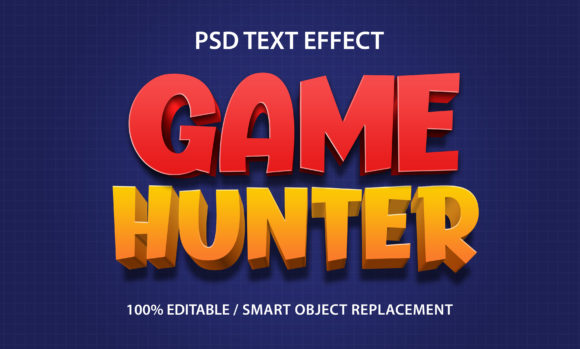
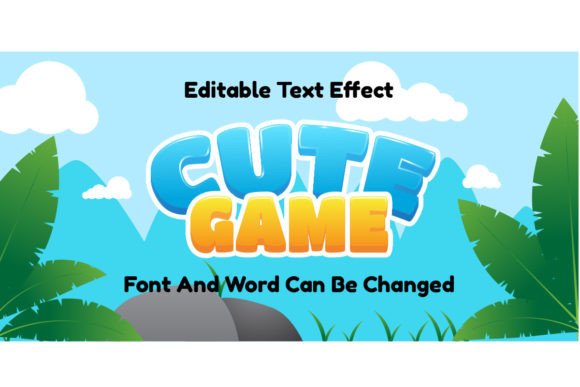
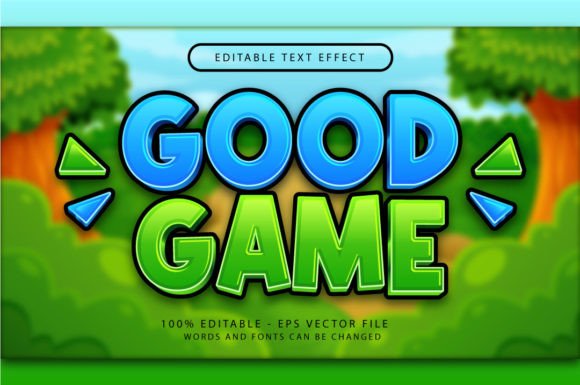
The Good Game 3D Text Effect is a ready-to-use Illustrator file that enables designers to apply a high-quality 3D text effect to any sentence or phrase. It's ideal for game developers, graphic designers, marketers, and hobbyists who want to create eye-catching visuals without spending hours on complex design workflows.
This 3D text effect package includes:
- A vector-based .EPS file compatible with Adobe Illustrator
- A high-resolution .jpg preview (7000 x 4000 pixels)
One of the most appealing features of this effect is that it doesn't require any additional textures, plugins, or actions. Everything is fully editable, making it a plug-and-play solution for designers of all skill levels.
How to Use the Good Game 3D Text Effect in Illustrator
Using the Good Game 3D Text Effect is incredibly straightforward. Whether you're a beginner or a seasoned Illustrator user, you can start creating professional 3D text in just a few clicks:
- Open the .EPS file in Adobe Illustrator — You can import it directly into your existing project or open it as a standalone file.
- Select the text layer — The file is set up with editable text, so you can easily replace the default text with your own message.
- Change the font or sentence — Simply click on the text box and type your desired phrase. You can also change the font to match your branding or design style.
- Apply the 3D effect via the Graphic Styles panel — Navigate to Window → Graphic Styles and apply the pre-configured 3D style to your new text.
Because the file is vector-based, you can scale your text to any size without losing quality — perfect for everything from mobile app titles to large-scale print banners.
Why This 3D Text Effect Stands Out
There are countless 3D text effect templates available online, but what makes the Good Game 3D Text Effect unique is its combination of ease of use, flexibility, and professional quality.
1. Fully Editable and Customizable
Unlike raster-based images or effects that are locked in place, this Illustrator file allows for complete customization. You can change the color, lighting, texture, and even the 3D orientation of the text to suit your specific needs.
2. No Plugins or Actions Required
Many 3D effects in Illustrator require additional plugins or time-consuming manual adjustments. The Good Game 3D Text Effect eliminates that hassle — everything you need is already embedded in the file.
3. High-Resolution Preview Included
The included 7000 x 4000 pixel .jpg preview gives you a clear idea of how the final design will look. This is especially helpful when presenting your work to clients or using the effect in a portfolio.
Applications of the Good Game 3D Text Effect
Whether you're designing for digital or print media, this 3D text effect has a wide range of applications:
- Game Development: Use it for game titles, logos, or UI elements to give your game a bold, dynamic look.
- Marketing Materials: Create attention-grabbing headlines for posters, social media graphics, or digital ads.
- Branding and Logos: Add a 3D twist to your brand name or tagline for use on packaging, websites, or merchandise.
- Personal Projects: Whether you're designing a birthday card or a personal website, this effect adds a professional touch.
Because the effect is editable, you can tweak the lighting, shadows, and colors to match your project's overall aesthetic — making it a versatile tool for any designer.
Understanding the Role of 3D Text in Modern Design
In today's visually-driven world, typography is more than just words on a page — it's a key component of visual storytelling. 3D text effects like the Good Game 3D Text Effect allow designers to communicate ideas more powerfully by adding depth and realism to their designs.
From advertising to education, 3D typography plays a crucial role in capturing attention and conveying messages with impact. For instance, in e-learning platforms, 3D text can be used to highlight key concepts or make interactive lessons more engaging. In the entertainment industry, 3D titles are standard for movie posters, trailers, and video game packaging.
Moreover, as digital platforms continue to evolve, users expect more immersive and visually rich experiences. Incorporating 3D effects into your designs helps meet these expectations and keeps your content fresh and modern.
Common Misconceptions About 3D Text Effects
While 3D text effects are powerful tools, there are a few common misconceptions that can prevent designers from using them effectively:
- Myth: 3D text effects are difficult to create.
- Reality: With templates like the Good Game 3D Text Effect, anyone can create stunning 3D text in minutes.
- Myth: 3D text is only for advanced designers.
- Reality: Many 3D text effects are designed with beginners in mind and require no prior experience.
- Myth: 3D text is too flashy or outdated.
- Reality: When used thoughtfully, 3D text can be modern, elegant, and highly effective in the right context.
By dispelling these myths, more designers can feel confident in exploring 3D typography and leveraging it to enhance their creative work.
Conclusion: Why You Should Try the Good Game 3D Text Effect
The Good Game 3D Text Effect is more than just a design template — it's a powerful, user-friendly tool that empowers both novice and experienced designers to create professional-grade 3D text with minimal effort. Its compatibility with Adobe Illustrator, full editability, and lack of dependency on plugins make it an ideal choice for a wide range of design projects.
Whether you're designing for a client, your own brand, or just for fun, this 3D text effect offers a quick and effective way to elevate your typography and make your designs stand out. So, if you're looking to add some depth and dimension to your next project, don't hesitate to give the Good Game 3D Text Effect a try — you might just find it becomes a go-to resource in your design toolkit.