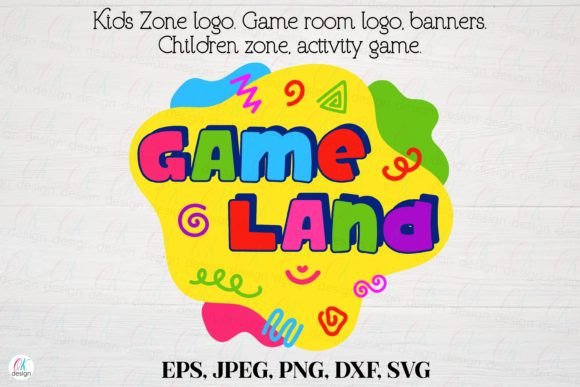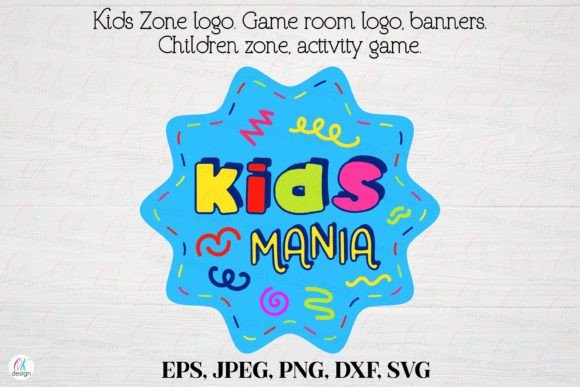
Kids Zone Logo 18: Game Room, Activity & Kids Zone Logo Design for Creative Projects
Kids Zone Logo 18 is a versatile and professionally designed logo asset tailored for use in children’s activity centers, game rooms, kindergartens, and play zones. Its cartoon-style aesthetic and flat design make it visually appealing for young audiences while maintaining a clean, scalable format suitable for a wide range of digital and print applications. This logo set includes multiple file formats—EPS, JPEG, PNG with transparent background, DXF, and SVG—all in RGB color mode and high-resolution 300 dpi. Designed at 12 x 12 inches (3600 x 3600 pixels), it provides flexibility for banners, posters, emblems, and branding materials without quality loss.
How Kids Zone Logo 18 Fits Into Design and Marketing Workflows
Whether you're a small business owner launching a new kids’ play area or a graphic designer creating marketing materials for an educational facility, Kids Zone Logo 18 integrates smoothly into your creative workflow. It serves as a foundational branding element that can be used across digital and physical touchpoints. The logo can be incorporated into website headers, social media graphics, printed signage, and promotional banners—all while maintaining visual consistency and professional quality.
For entrepreneurs and educators, this logo asset helps establish a recognizable identity for children’s spaces. It can be used early in the planning phase to define the visual tone of a project, during implementation to create cohesive branding materials, or post-launch to maintain continuity across marketing efforts.
File Formats and Compatibility for Real-World Use
One of the key strengths of Kids Zone Logo 18 is its wide range of file formats. Each format serves a specific purpose:
- EPS – Ideal for large-format printing and vector editing in Adobe Illustrator.
- SVG – Perfect for responsive web design and scaling without loss of quality.
- PNG with transparent background – Useful for overlaying on photos, backgrounds, or layered digital designs.
- JPEG – Suitable for general-purpose digital use where file size matters.
- DXF – Useful for laser cutting, engraving, or CAD-based applications.
These formats ensure that the logo works seamlessly across platforms, design tools, and output types. Designers can import the SVG into Figma or Canva for web assets, while print shops can use the EPS or high-res JPEG for banners and posters. The transparent background PNG is especially valuable for digital marketing, where clean layering is essential.
Preparing and Organizing Logo Assets for Use
Before using Kids Zone Logo 18 in your project, it's important to organize the files effectively. Upon purchase, the logo is delivered as a ZIP archive containing all formats. Once unpacked, it's advisable to create a dedicated folder for the logo and its variations. You may want to further categorize files by format or intended use (e.g., web, print, signage).
Consider creating a small style guide or asset sheet that includes the logo in different formats and notes on where each should be used. This helps maintain consistency, especially if multiple people are working on the same branding or marketing effort.
Integrating Into Larger Branding Systems
Kids Zone Logo 18 should not exist in isolation. It works best when integrated into a broader branding system that includes color schemes, typography, and supporting graphics. For instance, if you're designing a children’s game room, pairing the logo with complementary wall decals, activity labels, and directional signage will create a unified visual experience.
Designers can embed the logo into templates for flyers, invitations, or educational materials. Educators or event planners may use it in PowerPoint presentations or printed handouts to reinforce a theme or event identity.
Practical Use Cases and Workflow Examples
Here are a few real-world scenarios where Kids Zone Logo 18 enhances workflow efficiency and creative output:
- Launching a Kids’ Game Room Business: Use the logo across your website, social media, and signage to build brand recognition. Incorporate the SVG version into your site’s header and the PNG version into digital ads or email campaigns.
- Designing a Kindergarten Play Area: Print the logo on banners and wall art to create a welcoming environment. Use the DXF file for laser-cut decorations or signage.
- Creating Party Invitations: The logo can be added to digital or printed invitations for a themed game room party. The transparent background PNG makes it easy to layer over colorful backgrounds or illustrations.
- Developing Educational Materials: Teachers or content creators can insert the logo into activity sheets, certificates, or learning modules to maintain a playful and engaging tone.
In each case, the logo serves as a consistent visual anchor that supports the project’s theme and audience engagement.
Quality Control and Long-Term Use Considerations
Because the logo is provided in high-resolution 300 dpi and multiple scalable formats, it retains quality across uses. However, it's important to monitor how it’s applied over time. If you're updating your branding or expanding into new marketing channels, revisit the logo’s placement and usage to ensure it remains relevant and visually aligned.
Keep backups of the original files and consider versioning if you make any edits. This helps avoid confusion and ensures that you always have access to the source files if needed in the future.
Understanding Licensing and Usage Rights
Kids Zone Logo 18 is a digital product that must not be resold, shared freely, or transferred for use by third parties. The purchase grants a single user the right to use the logo in personal or commercial projects, but redistribution is strictly prohibited. Always verify that your usage complies with the licensing terms to avoid legal issues.
Mockups and example photos shown during purchase are for visual demonstration only and are not included in the ZIP file. They are not part of the actual deliverable and should not be used in final designs or marketing materials without proper rights.
Support and Troubleshooting
If you encounter any issues with the logo files—such as missing formats, corrupted downloads, or compatibility problems—contact the seller directly through the feedback system. Most issues can be resolved quickly with clear communication and a copy of your purchase receipt.
Before reaching out, double-check that you’ve downloaded the correct file and extracted the ZIP archive properly. Sometimes, file visibility or format recognition issues are due to software settings or operating system preferences rather than a problem with the logo itself.