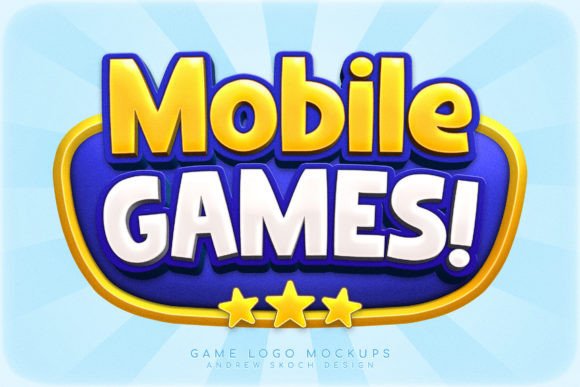
Game Logo Text Effect: Design Tips for Bold, Eye-Catching Logos
When it comes to creating a strong visual identity for your mobile game, the right text effect can make all the difference. The Game Logo Text Effect is a versatile and vibrant design tool that brings energy, clarity, and personality to your branding. Whether you're launching a new game or redesigning an existing one, these effects offer a quick and professional way to elevate your logo and promotional materials.
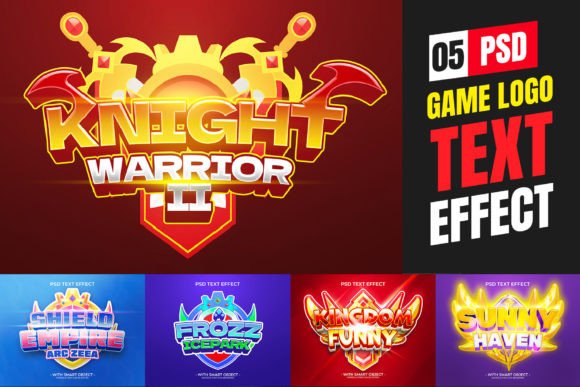
These Photoshop templates are built with flexibility in mind. Each file includes editable smart objects, so you can swap out text and see effects update automatically. This makes it easy to maintain consistency across platforms—from app store icons to social media banners and video titles. With five unique templates included, you have a range of styles to match your game's tone, from playful and whimsical to bold and futuristic.
Vivid, Tasty, and Cartoon-Style: Perfect for Mobile Games
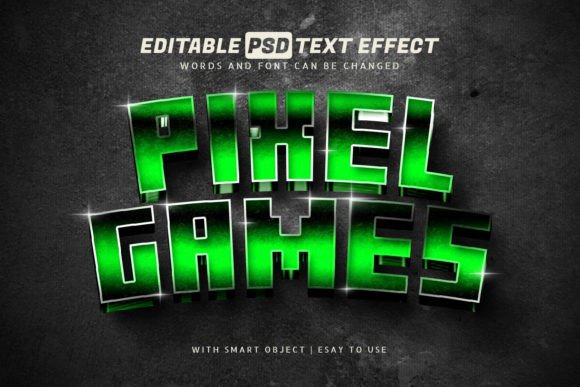
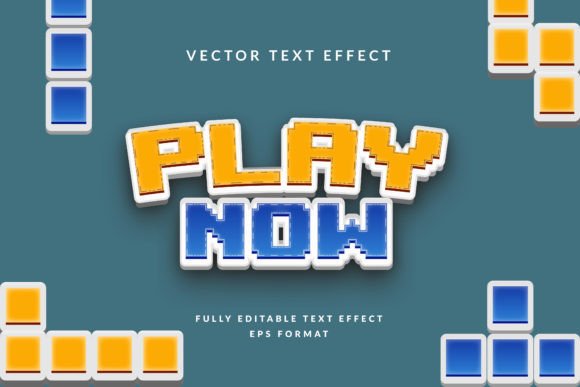
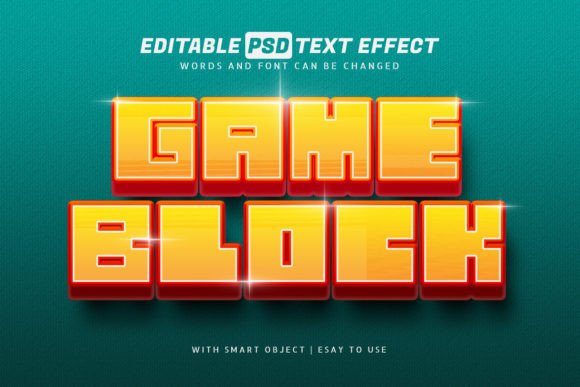
One of the standout features of the Game Logo Text Effect is its cartoon-style aesthetic. These templates are designed with bright, saturated colors and exaggerated textures that grab attention instantly. Think candy-colored letters with glossy highlights, bubbly outlines, and soft shadows that give depth without overwhelming the design.
This style works especially well for funny mobile games where the branding needs to feel light-hearted and engaging. Whether your game is a puzzle challenge, a quirky platformer, or a match-3 adventure, these text effects help communicate the tone at a glance. They're also ideal for mobile gaming UI elements like level titles, menu buttons, and achievement badges.
Why These Templates Work Across Multiple Platforms
The Game Logo Text Effect templates are not limited to logo design alone. Their high resolution (300 DPI, 3000×2000 pixels) ensures they look sharp on both digital and print formats. You can use them for:
- Social media covers (Instagram, Facebook, YouTube)
- App store screenshots and banners
- Video titles and movie covers
- Brand identity materials (business cards, packaging, merchandise)
- Blog headers and promotional graphics
Each template is built with well-organized layers, making it easy to customize colors, textures, and effects. Whether you're editing a text layer, vector shape, or pixel-based image, the smart object system keeps your workflow smooth and efficient.
Editable Text with Instant Visual Impact
One of the biggest advantages of these templates is their 100% editable text. You don't need to manually adjust shadows, glows, or gradients every time you change the wording. Just update the text inside the smart object, and all effects remain intact. This feature is especially valuable when you're testing different brand names, slogans, or localization versions.
Designers and marketers will appreciate how quickly they can generate multiple logo variations for A/B testing or seasonal promotions. And because the templates include PDF help files with font links and video instructions, even those with minimal Photoshop experience can get up and running in minutes.
Choosing the Right Style for Your Game
When selecting a Game Logo Text Effect, consider your game's genre and target audience. For example:
- Cartoon-style candy letters are great for casual, family-friendly games.
- Glowing neon effects suit action or arcade-style games.
- Soft pastel textures work well for puzzle or simulation games.
Each of the five included templates offers a distinct visual flavor, so you can pick the one that best aligns with your game's personality. If you're unsure, try applying each effect to your game title and see which one feels most authentic and memorable.
Pairing Fonts for Maximum Readability and Brand Impact
While the Game Logo Text Effect focuses on the visual impact of your main title, don't overlook the importance of font pairing. Use a clean, readable typeface for subheadings and supporting text to maintain visual hierarchy and clarity. For example:
- Pair a bold, candy-style logo with a simple sans-serif like Montserrat or Open Sans.
- Combine a glowing effect with a modern, tech-inspired font for sci-fi or racing games.
- Use a handwritten or script font alongside a playful logo to add personality to promotional graphics.
Always test your font combinations across different screen sizes and resolutions to ensure they remain legible and visually balanced.
From Design to Deployment: Practical Tips for Real-World Use
Once you've customized your logo using the Game Logo Text Effect templates, here are a few practical steps to make the most of your design:
- Export multiple file formats—Use PNG for transparency, JPEG for social media, and PDF for print materials.
- Optimize for web and app stores—Resize your logo to meet platform-specific requirements (e.g., Apple App Store, Google Play Store).
- Create variations—Make light and dark versions of your logo to ensure visibility on different backgrounds.
- Save your Photoshop settings—Keep a master file with all editable layers for future edits.
- Check licensing—Ensure the fonts used in the templates are properly licensed for your intended use.
These templates are commercially licensed, so you can confidently use them in client projects or personal brands without worrying about legal issues.
Final Thoughts: A Smart Investment for Game Designers and Marketers
The Game Logo Text Effect isn't just a design shortcut—it's a powerful asset that helps you build a cohesive and engaging brand identity for your mobile game. Whether you're a solo developer, a creative agency, or a marketing team launching a new title, these templates offer a professional look with minimal effort.
By combining colorful lettering, smart object flexibility, and clean layer organization, these templates empower you to create logos that stand out in a crowded app store. And with support for social media, branding, and multimedia projects, they offer long-term value beyond a single use.
If you're looking for a fast, flexible, and visually striking way to present your mobile game, the Game Logo Text Effect is a smart choice that delivers real results.